📚 Exciting News!
We're launching fun and effective reading lessons to help your child grow in confidence and excel at school.
Limited slots available — Contact us today to book!
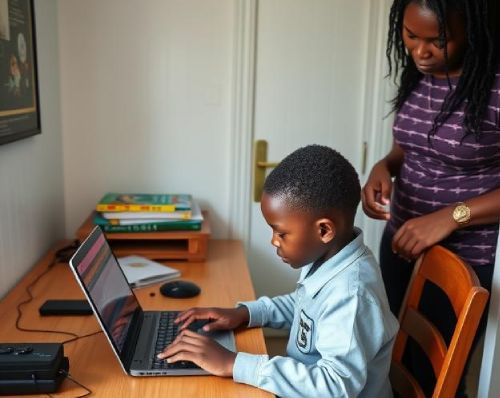
At Kid Kindle, we’ve made it easy for busy families to access quality academic support — from the comfort and safety of home. Our services are 100% online, allowing children to connect with our friendly and patient facilitators no matter where they are.
🖥️ What You Need to Get Started
To make sure your child gets the most out of each session, we ask that they have:
A reliable internet connection: A stable connection helps avoid interruptions and keeps the sessions smooth and engaging.
A laptop or tablet: These devices offer the best experience for interactive learning and clear visibility. A phone can be used in emergencies, but we don’t recommend it as a primary learning device.
Basic digital familiarity: Your child should be comfortable using their learning device — knowing how to join a video call, use a touchscreen or mouse, and adjust volume settings.
🎥 We Use Google Meet
All lessons and sessions take place on Google Meet, a secure and easy-to-use video conferencing platform. Once your child is enrolled, we’ll send you a meeting link for their scheduled sessions. No complicated software or downloads — just click and join!
We recommend setting up the device and testing Google Meet at least once before the first session to make sure everything runs smoothly.
📚 What Happens During a Session?
Each session is designed around your child’s needs and school level:
Pre-Grade R & Grade R: We focus on early literacy, listening skills, number recognition, and building a love for learning through play-based methods and guided reading.
Grades 1 to 3: We help with daily homework, reading practice, spelling, and revision. Our team ensures that your child doesn’t just complete their work — they understand it and feel proud of their progress.
🤝 Consistency is Key
We encourage regular attendance and a quiet, distraction-free space during each session. Just like at school, a consistent routine helps children settle in, feel secure, and make meaningful progress.
💬 Need Help Setting Up?
Don’t worry — we’re here to support you every step of the way. If you’re unsure how to set up Google Meet or your child’s device, we’ll gladly assist with basic guidance before your first session.